Free conversion audit
Get a tailored action plan based on your current funnel.
You’re Not Losing Money on Ads. You’re Losing It After the Click.
The average Shopify store running paid ads converts at under 2%. That means for every 100 people your ad convinces to visit your store, 98 leave without buying. You paid for every single one of them.
When performance drops, most merchants do the same thing: adjust targeting, swap creatives, test new audiences, hire a new ads agency. The ads get better. The results don’t. That’s because Shopify ads performance problems are almost never caused by the ads themselves — they’re caused by what happens after the click.
This is the intersection of paid advertising and conversion rate optimization. Fix the store, and every campaign you’re already running immediately becomes more profitable. The ad spend doesn’t change. The revenue does.
The Real Reason Your Shopify Ads Aren’t Working
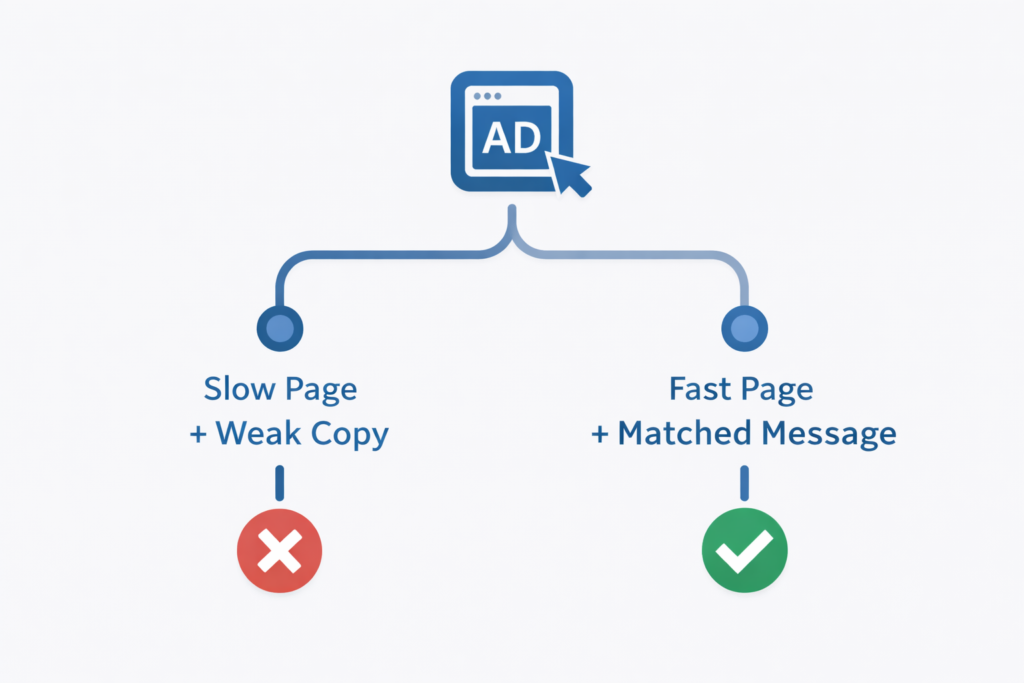
Ads solve one problem: getting qualified people to your store. That’s all they do. They cannot fix a slow product page. They cannot fix a confusing checkout. They cannot close the gap between what your ad promised and what your landing page delivers.
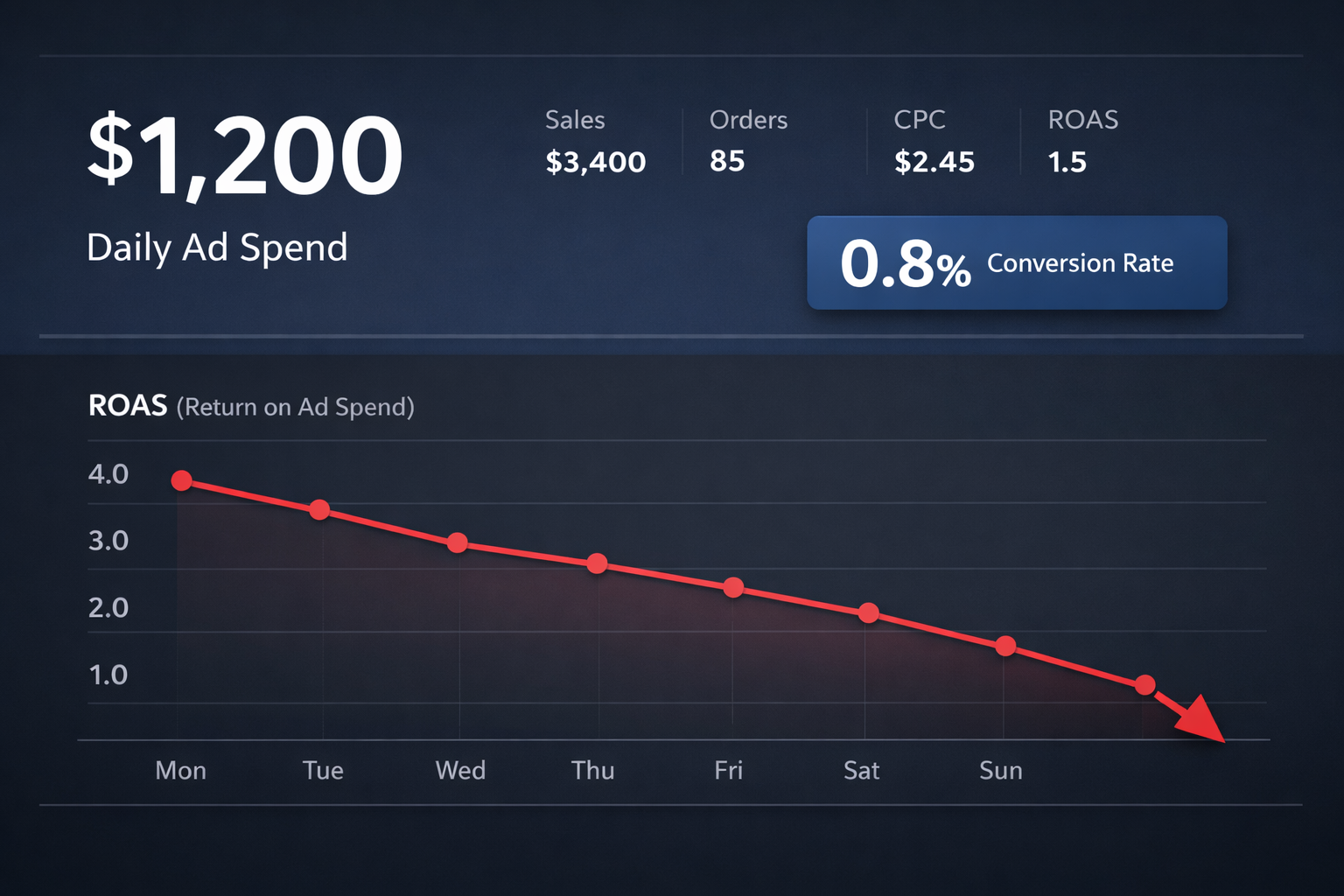
When a merchant tells us their Facebook ads or Google Shopping campaigns “stopped working,” the audit almost always reveals the same story: the ad is performing fine inside the platform — strong CTR, efficient CPM, solid audience reach — but the store is hemorrhaging the traffic the moment it arrives. A 3% click-through rate on your ad with a 0.8% site conversion rate produces a $72 cost per acquisition at $2 CPCs. Change the store conversion rate to 3% and that same campaign produces a $19 CPA — without touching the ad, the budget, or the targeting.
The ads are not broken. The funnel is. And the math will never work in your favor until the funnel gets fixed.
What Bad Shopify Ads Performance Actually Looks Like
Before diagnosing the cause, you need to know which metrics to watch. Poor Shopify ads performance shows up in these numbers:
- ROAS below 2× — You are spending more than half your revenue on acquisition. Sustainable ecommerce typically requires 3× ROAS minimum, and 4–6× for growth.
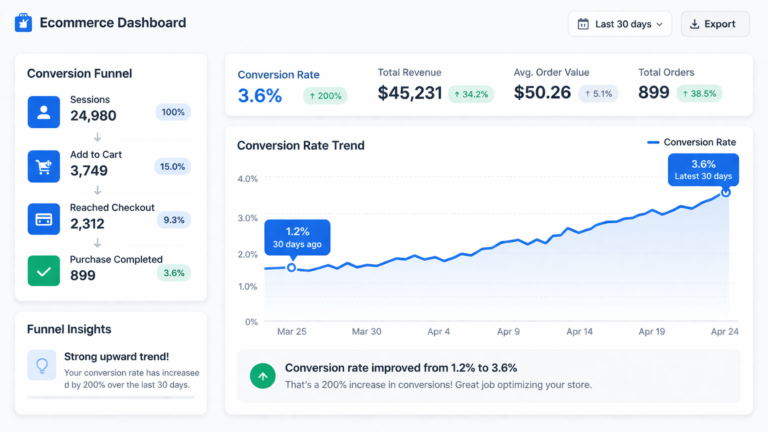
- High add-to-cart rate, low purchase rate — If 8% of visitors add to cart but only 1.2% buy, the problem is in checkout or cart — not the product or the ad.
- Bounce rate above 70% from paid traffic — Visitors are arriving and leaving immediately, which almost always indicates a message-match failure between the ad and the landing page.
- Low time-on-page from paid sessions — Under 30 seconds means visitors aren’t reading, aren’t scrolling, and aren’t engaging. Usually caused by slow load time or immediate visual mismatch.
- Mobile conversion rate less than half of desktop — Paid traffic skews heavily mobile. A broken mobile experience is a broken ads strategy.
Each of these is a CRO problem wearing an ads costume.
The Message-Match Problem: When Your Ad and Your Store Disagree
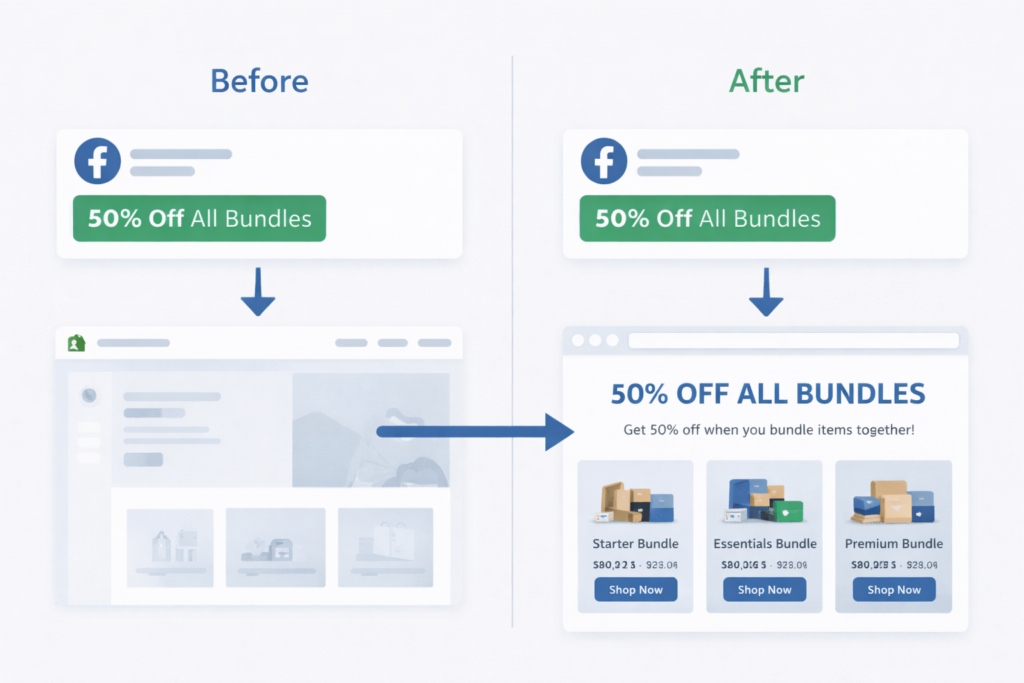
Message match is the degree of alignment between what your ad says and what your landing page delivers. It is the single most impactful variable in post-click conversion — and it is consistently broken in underperforming Shopify ad accounts.
Common message-match failures that kill Shopify ads performance:
- An ad promoting a specific bundle discount sends traffic to the store homepage instead of the bundle product page
- An ad using a seasonal headline (“Summer Sale — 40% Off”) links to a collection page with no reference to the promotion
- A Google Shopping ad for a specific SKU links to a category page, not the product page
- An ad emphasizing free shipping lands on a page where shipping costs aren’t mentioned until checkout
- A retargeting ad with a discount code directs to a page where the code is difficult or confusing to apply
Each failure produces the same result: a visitor who was convinced enough to click — who already cleared your hardest hurdle — abandons immediately because the page doesn’t match what they expected. You paid for that click. You got nothing from it. The fix is not a new ad. It is a dedicated landing page, or a product page updated to mirror the ad’s specific promise.
How a Slow Shopify Store Destroys Your Ad ROI
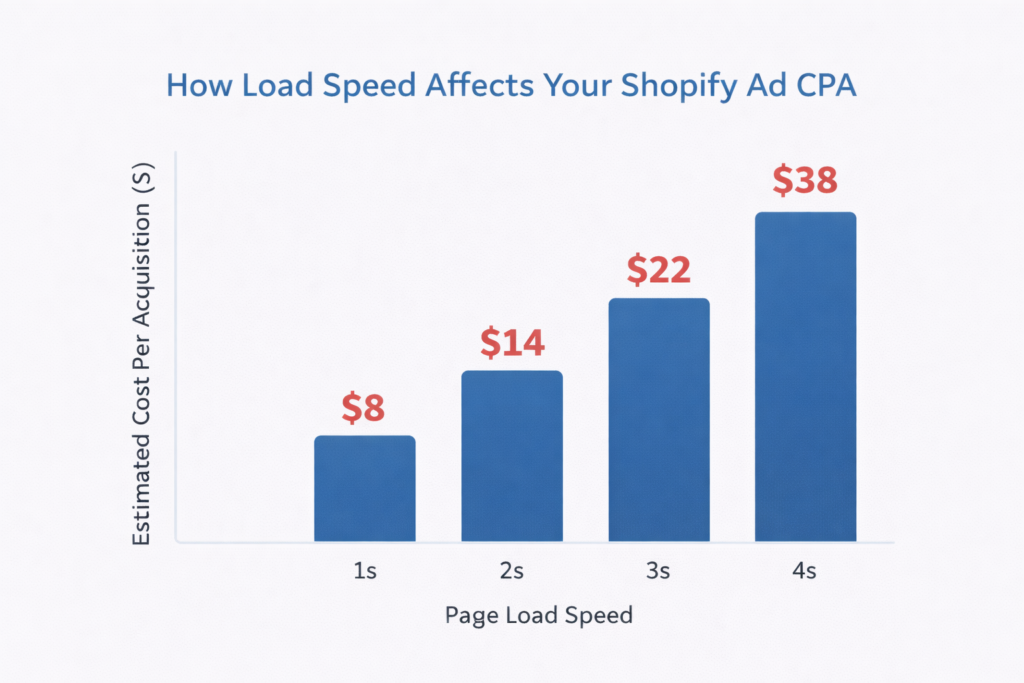
Page speed is a direct tax on your ad budget. 53% of mobile users abandon a page that takes longer than 3 seconds to load. For paid traffic — where every visitor has a hard dollar cost attached to it — every abandoned load is a wasted impression.
Google’s Core Web Vitals threshold for a “good” Largest Contentful Paint (LCP) is under 2.5 seconds. Most Shopify stores using third-party apps, heavy theme scripts, and unoptimized images fail this benchmark on mobile. The result: a significant percentage of your ad-driven visitors never see your product. They bounce before the page finishes loading. Your analytics reports them as a bounce. Your ads platform reports the campaign as underperforming. But the ads were never given a fair chance.
The relationship between page speed and ad ROI is direct and measurable. Improving LCP from 4.2 seconds to 1.8 seconds on a high-traffic Shopify product page typically produces a 20–35% lift in conversion rate from paid sessions — without changing a single ad, budget, or targeting parameter.
The Product Page Problem: Where Shopify Merchants Lose Paid Traffic
For most Shopify merchants running paid ads, the product page is the landing page. It’s where ad traffic lands and where the purchase decision is made. And for most stores, it’s the most under-optimized page in the entire funnel.
A product page that converts paid traffic needs to do more work than a product page reached organically. An organic visitor has typically done research, evaluated alternatives, and arrived with intent. A paid visitor may be seeing your brand for the first time. The page needs to build trust, demonstrate value, answer objections, and close — all above the fold.
The highest-impact product page CRO fixes for paid traffic:
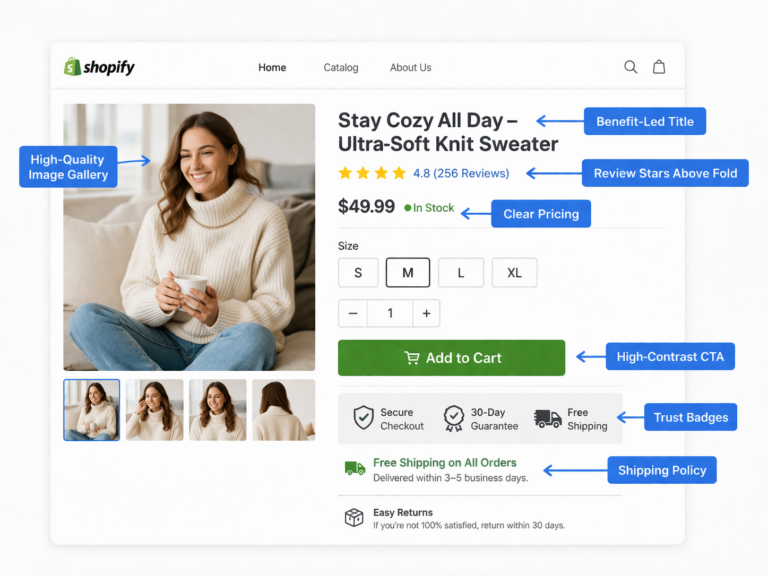
- Headline clarity — The product name alone is not a headline. Lead with the primary benefit or outcome (“Acoustic Panels That Actually Work — and Look Like Art”).
- Reviews above the fold — Star ratings and review counts should appear next to or directly below the product title, not at the bottom of the page after 800px of scrolling.
- Explicit shipping and delivery copy — “Ships in 3–5 business days” near the add-to-cart button removes one of the top three objections that prevent purchase.
- A single dominant CTA — If your product page has three equal-weight buttons (Add to Cart, Add to Wishlist, Compare), you’re splitting attention. One primary action. Everything else secondary.
- Mobile-first layout — On mobile, your add-to-cart button should be visible without scrolling. On most default Shopify themes, it is not.
Checkout Abandonment: The Final Conversion Killer for Paid Campaigns
The industry average Shopify checkout abandonment rate is 68–72%. That means roughly 7 out of every 10 people who intend to buy — who have already added to cart — leave before completing the purchase. For paid traffic campaigns, this is where the majority of your ROAS losses are hiding.
The top causes of checkout abandonment on Shopify and the CRO fixes that address them:
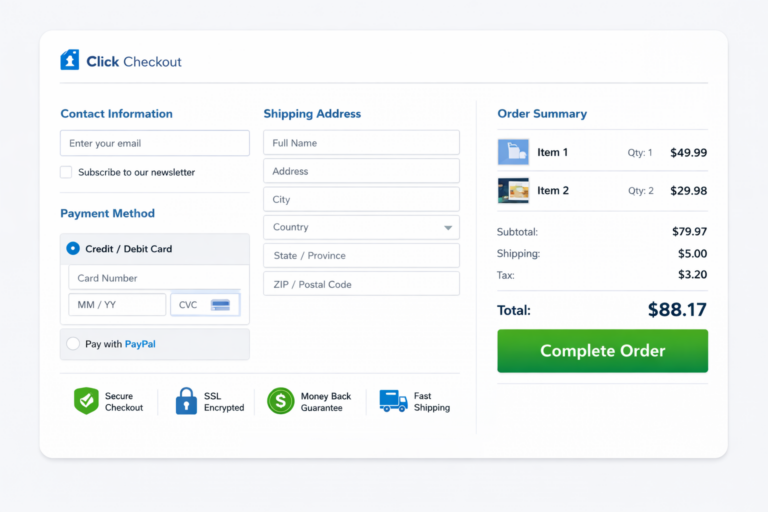
- Unexpected shipping costs at checkout: Show shipping costs (or free shipping thresholds) on the product page and in the cart. Surprises at checkout are the leading abandonment trigger.
- Forced account creation: Shopify’s default guest checkout should always be the primary option. Requiring account creation before purchase reduces completion rates by an estimated 23%.
- Too many form fields: Shopify’s native checkout is already fairly lean, but any customizations that add fields — promo code boxes, company name fields, unnecessary checkboxes — add friction. Remove everything non-essential.
- Lack of trust signals near payment: Security badges, return policy reminders, and accepted payment logos placed adjacent to the “Pay Now” button directly lift checkout completion rates.
- No progress indicator: A clear “Step 2 of 3” indicator reduces abandonment by signaling to the buyer that the end is near.
How to Diagnose Your Shopify Ads CRO Problem
You can’t fix what you can’t see. Before making changes, run this diagnostic:
- Segment your conversion rate by traffic source in GA4. Paid traffic should be analyzed separately from organic and direct. A 1.8% overall conversion rate might be masking a 0.6% paid conversion rate.
- Check bounce rate for paid sessions by landing page. If specific ad landing pages have bounce rates above 65%, you have a message-match or speed problem on those pages specifically.
- Review the add-to-cart → purchase funnel. If add-to-cart rate is healthy (5–10%) but purchase rate is low (under 2%), the problem is post-cart: checkout friction, payment trust, or surprise costs.
- Run a page speed test on your top paid landing pages. Use Google PageSpeed Insights on mobile. An LCP above 3 seconds on mobile is a critical fix for any page receiving paid traffic.
- Install Microsoft Clarity or Hotjar on your top landing pages. Session recordings will show you exactly where paid visitors click, scroll, and abandon. One hour of session review will surface more insight than a month of analytics reports.
CRO Fixes That Directly Improve Shopify Ad Performance
Once you’ve diagnosed the issues, these are the highest-ROI interventions for improving Shopify conversion rate optimization tied to paid traffic:
- Build dedicated landing pages for top ad campaigns. A product page optimized for organic traffic is not an ad landing page. Create pages specifically matched to each campaign’s headline, offer, and audience. This is the single highest-impact change you can make for paid traffic performance.
- Fix page speed on your top 3 paid landing pages first. You don’t need to optimize the entire store. Start with the pages receiving the most paid traffic. Compress images, remove unused app scripts, and enable Shopify’s built-in CDN.
- Add trust signals to product pages adjacent to the CTA. Move reviews above the fold. Add a one-line return policy near the add-to-cart button. Include a security badge if you’re using Shopify Payments.
- Audit your mobile checkout flow personally. Go through your entire purchase process on your phone, from ad click to confirmation. Every friction point you experience is a conversion you’re losing from paid campaigns.
- A/B test your product page headline and primary CTA copy. “Add to Cart” versus “Get Yours Now” versus “Order Today — Ships in 3 Days” will produce measurably different results. Run the test for a minimum of two weeks with sufficient paid traffic volume before calling a winner.
Real Example: Shopify Store Doubles ROAS Without Touching the Ads
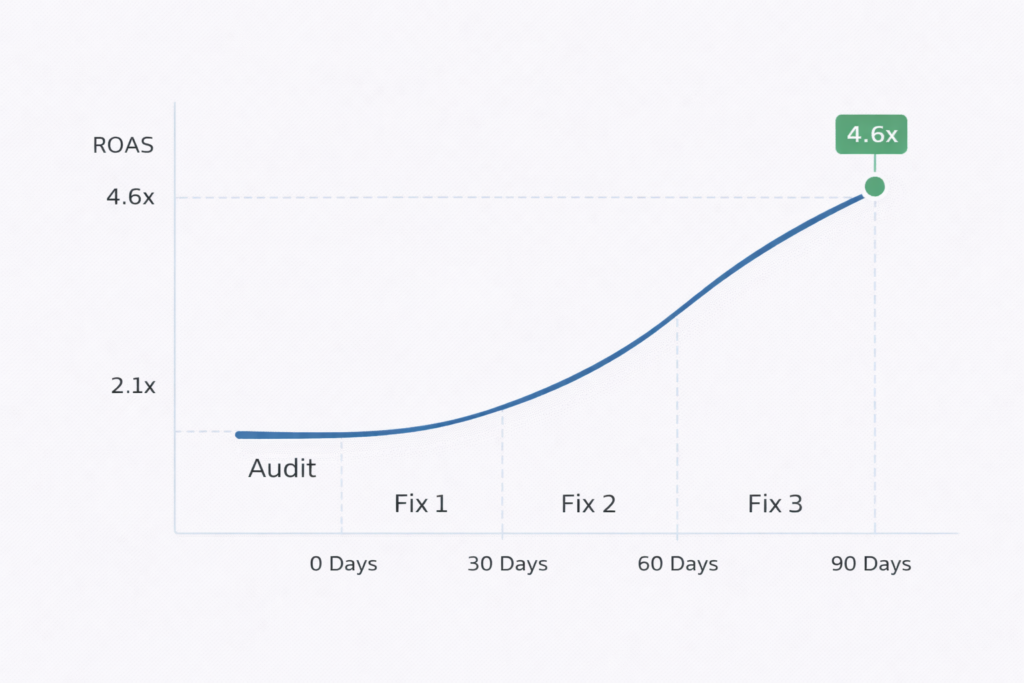
A Shopify home goods merchant was spending $8,000/month on Facebook and Google ads with a blended ROAS of 1.9×. They had a competent ads agency and well-performing creatives. The ads team had exhausted targeting optimizations and creative iterations with no meaningful improvement over 6 months.
A CRO audit of their paid landing pages found four issues:
- All Facebook traffic landed on the homepage, not the specific product or collection featured in the ad
- Mobile LCP on the homepage was 5.1 seconds due to an unoptimized hero video autoplay
- No reviews appeared on product pages — they were loaded via a third-party app that fired after page load and wasn’t visible above the fold
- Checkout had a company name field added by their fulfillment app that showed on all orders including consumer purchases
Changes implemented over 3 weeks: dedicated landing pages built for the top 3 ad campaigns, hero video replaced with a compressed static image on mobile, reviews widget moved above the fold with inline rendering, company name field removed from consumer checkout.
Result: blended ROAS improved from 1.9× to 3.8× over the following 6 weeks. The ad budget didn’t change. The targeting didn’t change. The creatives didn’t change. The store converted the traffic it was already receiving at twice the rate.
Why Fixing the Store Is Cheaper Than Buying More Traffic
The economics of CRO versus increased ad spend are straightforward. If your store converts at 1.5% and you want to generate 50 more sales this month, you have two options:
- Option A — Buy more traffic: At $2 CPC with a 1.5% conversion rate, 50 additional sales requires 3,333 additional clicks at a cost of $6,667.
- Option B — Fix the store: If CRO lifts your conversion rate to 3%, the same 3,333 clicks you’re already buying produce 100 sales instead of 50. You get the additional 50 sales at zero additional cost.
Option B doesn’t just save the $6,667 this month. It applies to every campaign, every month, permanently. A conversion rate improvement is a compounding asset. Additional ad spend is a recurring cost that stops the moment you stop paying.
The highest-performing Shopify stores treat CRO and paid advertising as a single system — not two separate budgets managed by separate teams. The ads fill the funnel. The store converts it. When both are optimized together, ROAS improvements of 2–3× are consistently achievable without budget increases.
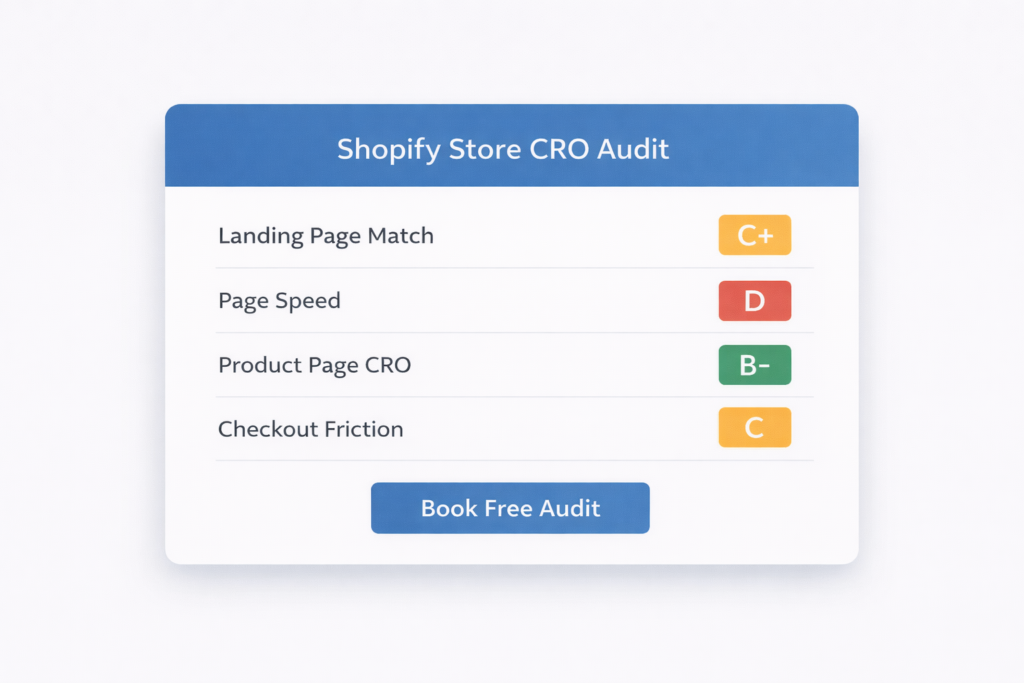
Ready to Stop Wasting Ad Spend? Get a Free Shopify CRO Audit.
If you’re running paid ads on Shopify and your ROAS is below 3×, there is almost certainly a CRO problem in your funnel — and it can be found and fixed faster than any ad optimization will solve it.
At Site OptimizR, our free Shopify CRO audit covers your top paid landing pages, mobile experience, page speed, checkout flow, and message-match alignment between your ad campaigns and your store. You’ll get a prioritized list of specific fixes — not a generic report — ranked by estimated conversion impact.
Most Shopify merchants we audit have 3–5 high-impact issues we can identify in the first session. Implementation typically begins within the first week. The lift shows up in your ad account metrics before the end of the first month.
Your ad spend is already working. Let’s make your store worth clicking into.
Get My Free Shopify CRO Audit →
For broader channel planning, continue with our ecommerce traffic resilience guide.