Free conversion audit
Get a tailored action plan based on your current funnel.
Your Shopify Cart Abandonment Rate Is Probably Higher Than You Think
A high Shopify cart abandonment rate means shoppers are showing clear buying intent, then leaving before they pay. That is one of the most expensive leaks in ecommerce because you already did the hard part: you got the click, the product view, and the add to cart.
According to Baymard Institute, the average documented cart abandonment rate is 70.19%. In plain English, roughly 7 out of 10 shoppers who start the buying process disappear before the order is complete.
This post breaks down why cart drop-off happens on Shopify, how to diagnose the real friction points, and the 10 highest-impact fixes for recovering more of the carts you are already earning. If your store gets traffic and add-to-carts but sales still lag, this is where the money is leaking.
What Is a High Shopify Cart Abandonment Rate?
Your Shopify cart abandonment rate is the percentage of shoppers who add products to cart or begin checkout but do not complete the purchase. The exact formula varies by reporting setup, but the practical question is simple: how many ready-to-buy visitors fail to become customers?
For most Shopify stores, a cart abandonment rate above 70% deserves immediate attention. If you are above 75%, the problem is usually not product demand. It is friction in the cart, checkout, mobile experience, payment options, or trust layer.
A healthy store can still have abandonment. People comparison shop, get distracted, or save items for later. But when the number stays elevated week after week, especially alongside strong add-to-cart activity, you likely have a friction problem, not a traffic problem.

Why Shoppers Abandon Cart on Shopify
High cart abandonment on Shopify rarely comes from one single issue. It is usually a stack of small conversion killers that compound. One surprise shipping fee, one missing payment method, one slow mobile step, and one unanswered objection are enough to lose the order.
Baymard’s checkout research consistently shows the same patterns behind abandonment: extra costs, forced account creation, slow delivery, low trust, and a checkout that feels longer than expected. Shopify makes many things easier, but it does not automatically remove the friction created by theme choices, app bloat, poor messaging, or sloppy cart setup.
The goal is not to eliminate abandonment entirely. That is unrealistic. The goal is to reduce the preventable abandonment that comes from bad UX and unclear buying conditions.
Fix #1: Remove Surprise Costs Before Checkout
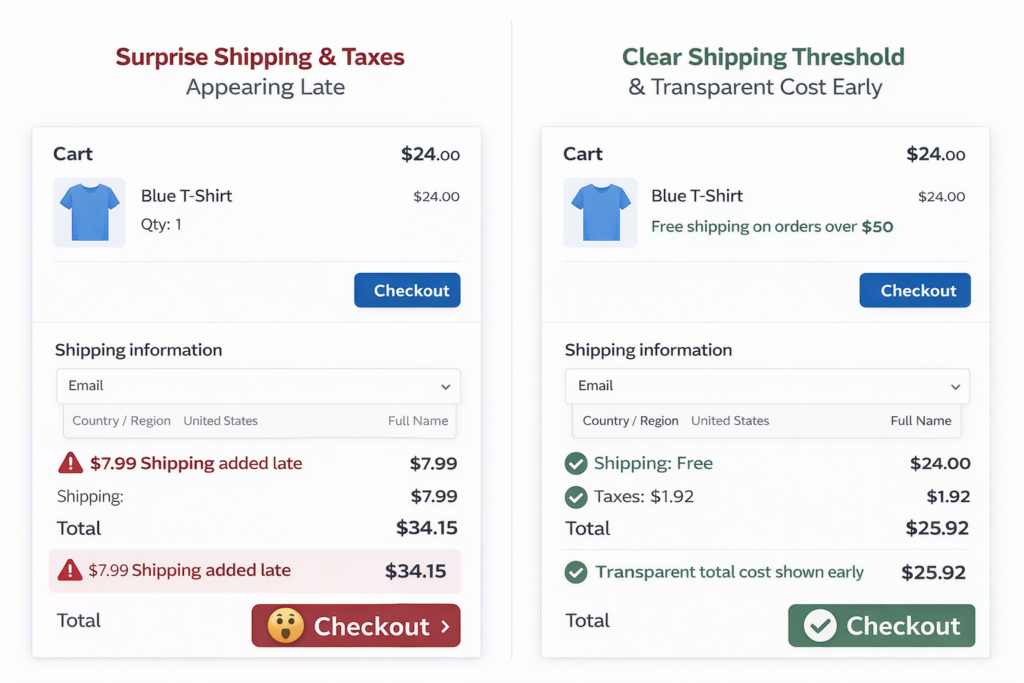
Unexpected shipping, taxes, and fees are the number one reason shoppers abandon carts. If buyers do not know the true cost until late in checkout, many will leave on principle even if the price difference is small.
On Shopify, this usually happens when the product page says nothing about delivery cost, the cart lacks a shipping threshold message, and checkout reveals the full total too late. The shopper feels tricked. Trust drops immediately.
The fastest fixes are simple:
- Show your free shipping threshold on the product page and in the cart
- Use a cart message like “You’re $14 away from free shipping” to frame the next action
- Estimate shipping earlier in the flow where possible
- Be explicit about taxes or duties if you sell internationally
If you cannot offer free shipping, clarity matters more than generosity. A visible, predictable shipping policy converts better than a cheap shipping price revealed at the last second.
Fix #2: Make Guest Checkout the Default
Forcing account creation is one of the fastest ways to increase Shopify checkout abandonment. Buyers do not want another password. They want the product they already decided to buy.
Guest checkout should be the default path. If you want customer accounts for retention, invite shoppers to create one after the order is complete. At that point the trust is already earned, the friction is lower, and the conversion is secured.
If your store uses apps or custom logic that pushes account creation too early, remove it. This is one of the rare CRO fixes that almost never has a downside.
Fix #3: Shorten and Simplify Shopify Checkout Fields
Every extra field adds hesitation. Every unnecessary checkbox creates friction. Every confusing input raises the chance that the shopper pauses, gets distracted, or decides to finish later.
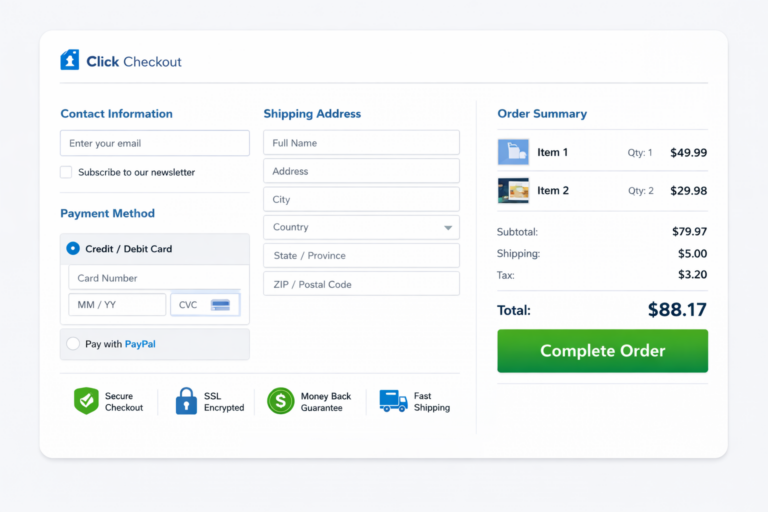
Shopify’s native checkout is already lean compared with many ecommerce platforms, but stores still create friction by adding note fields, irrelevant checkboxes, discount distractions, or awkward custom form logic. The shorter the path, the better the completion rate.
Review your checkout with one question in mind: Does this field help complete the order right now? If not, remove it, delay it, or make it optional.
- Hide non-essential cart notes unless they are operationally necessary
- Remove custom fields added by apps unless they directly support fulfillment
- Use address autocomplete where possible
- Make error messages obvious and easy to fix on mobile
Even small changes here matter. A cleaner checkout does not just feel better. It reduces mistakes, form fatigue, and mobile abandonment.
Fix #4: Improve Mobile Shopify Cart UX First
Most Shopify traffic is mobile, and mobile shoppers are less patient, more interruption-prone, and more sensitive to friction. Google has reported that 53% of mobile users leave pages that take longer than 3 seconds to load. That applies to your cart and checkout just as much as your landing pages.
The most common mobile cart problems on Shopify are predictable: tiny tap targets, discount code boxes stealing attention, sticky headers covering buttons, slow drawer carts, and checkout CTAs buried below upsells or trust text.
To reduce mobile cart drop-off, make these changes first:
- Use a clear, high-contrast checkout button that stays easy to reach
- Keep accelerated options like Shop Pay, Apple Pay, or Google Pay visible when relevant
- Remove visual clutter above the checkout action
- Test every step on a real phone, not just desktop preview mode
- Improve page speed on cart and checkout-adjacent pages by reducing app scripts and oversized assets
Mobile CRO wins usually come from subtraction, not addition. Fewer distractions. Fewer steps. Faster decisions.

Fix #5: Add Better Payment Methods and Accelerated Checkout
Some shoppers abandon simply because they do not see a payment method they trust. Others abandon because typing card details on a phone feels like work. Accelerated checkout solves both problems.
If your store qualifies, enable the payment methods your audience expects: major cards, PayPal, Shop Pay, Apple Pay, and Google Pay where appropriate. The right mix depends on geography and customer profile, but the principle is consistent: reduce the effort required to pay.
Acceleration matters because the window between intent and distraction is short. A shopper who can complete a purchase in seconds is dramatically more likely to finish than one who has to enter every field manually.
Fix #6: Put Trust Signals at the Point of Payment
A shopper can like your product and still hesitate at the last second. That hesitation usually shows up in the cart or checkout when trust is weakest and risk feels highest.
Trust signals that reduce Shopify cart drop off rate include:
- Clear return and refund messaging near checkout actions
- Delivery timing stated in plain language
- Payment icons and security reassurance where buyers enter payment details
- Real reviews or review counts visible before checkout, not buried far below
- Contact information or support access that proves a real business stands behind the order
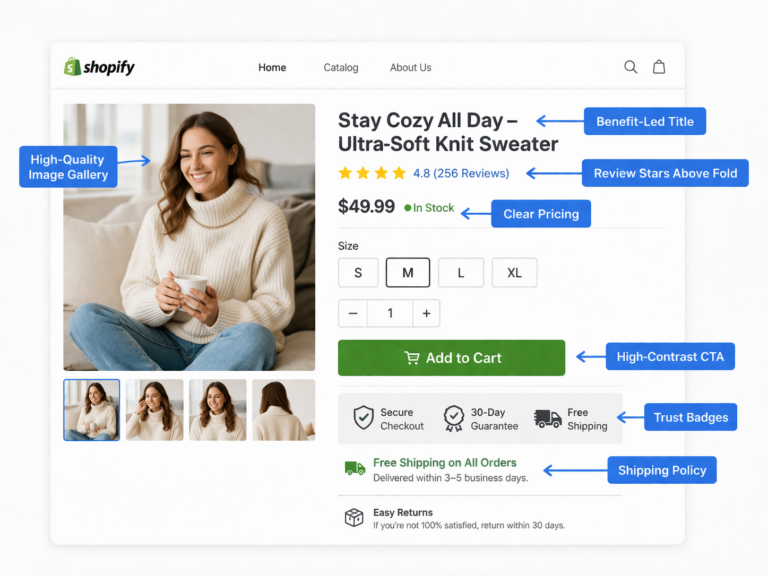
The key is placement. A trust badge hidden in the footer does almost nothing. A concise return-policy line next to the checkout button can save the sale.
Fix #7: Stop Letting Discount Codes Hurt Conversion
The discount code field seems harmless, but on many Shopify stores it creates hesitation. The shopper sees the box and immediately thinks, “Do other people have a code that I don’t?” That often leads to tab-switching, coupon searching, and abandonment.
If discounts are core to your strategy, make them automatic when possible. If they are not, avoid turning the checkout into a treasure hunt for coupons. For many stores, a simple cart incentive like free shipping over a threshold works better than teaching shoppers to leave and search for a code.
This is especially important for paid traffic. If you are buying clicks through paid ads, the last thing you want is to encourage shoppers to exit the funnel you paid for.
Fix #8: Use Smarter Shopify Cart Recovery Flows
Not every abandoned cart is a lost customer. Some shoppers simply get interrupted. That is why Shopify cart recovery should be part of the system, not an afterthought.
Basic abandoned cart emails help, but the highest-performing recovery flows are more specific. They remind the shopper what was left behind, address a likely objection, and create a reason to return now.
A strong recovery sequence usually includes:
- A first reminder within 1 to 3 hours
- A second message within 24 hours that reinforces trust, shipping clarity, or product benefits
- A third message within 48 to 72 hours with a small incentive only if margin allows
- Dynamic cart links that bring shoppers back to the exact items they left
- SMS recovery for opted-in audiences where it matches your brand and compliance requirements
Recovery works best when the root issue is distraction. It works poorly when the real issue is checkout friction. That is why recovery emails should support CRO, not replace it.
Fix #9: Diagnose High Shopify Cart Abandonment With the Right Data
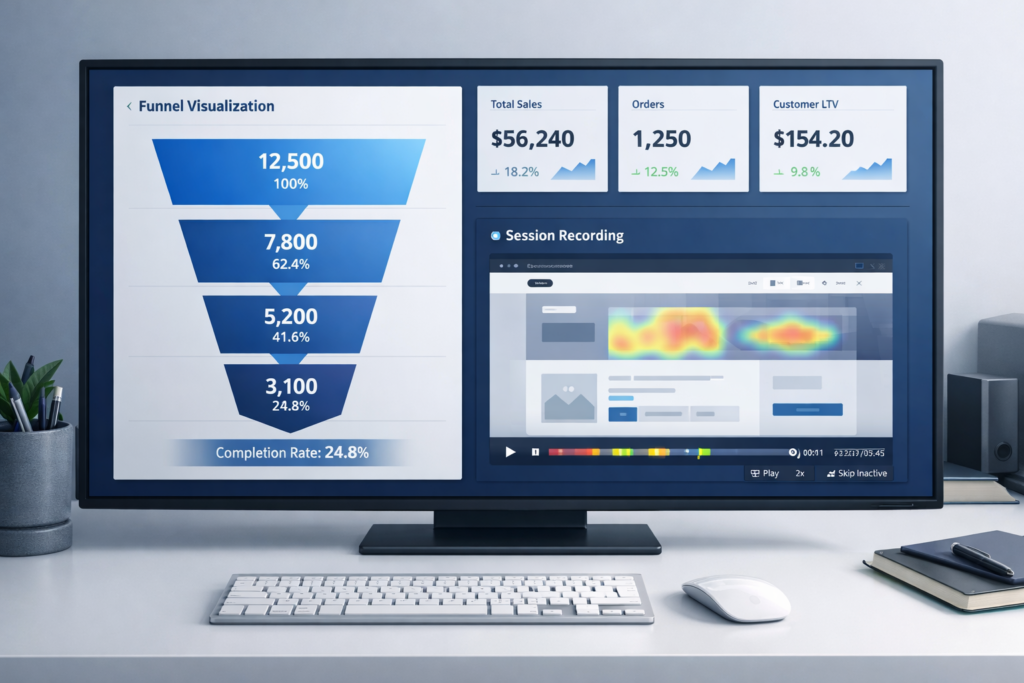
If you want to reduce abandonment fast, do not start with guesses. Start with evidence. Most stores already have enough data to identify where the leak is.
Here is the fastest diagnostic process:
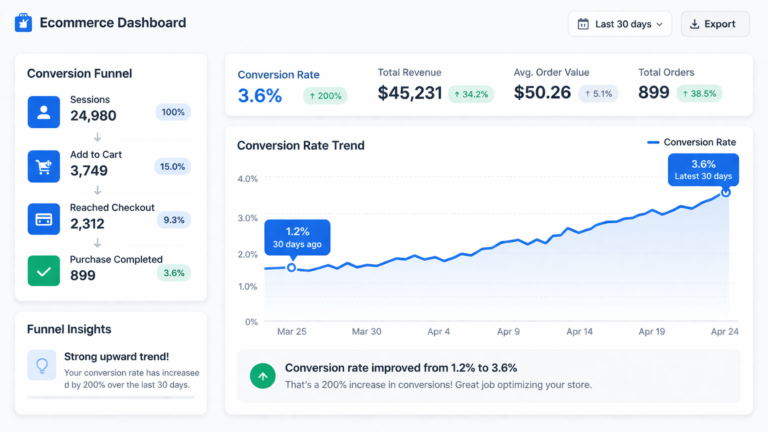
- Check your Shopify funnel metrics for product views, add-to-cart rate, reached checkout, and conversion rate
- Segment by device to see whether mobile abandonment is dramatically worse than desktop
- Use GA4 to compare cart and checkout drop-off by traffic source
- Install Microsoft Clarity or a similar tool to watch session recordings on cart and checkout-adjacent pages
- Run a real checkout test on your own phone using the same payment methods your customers use
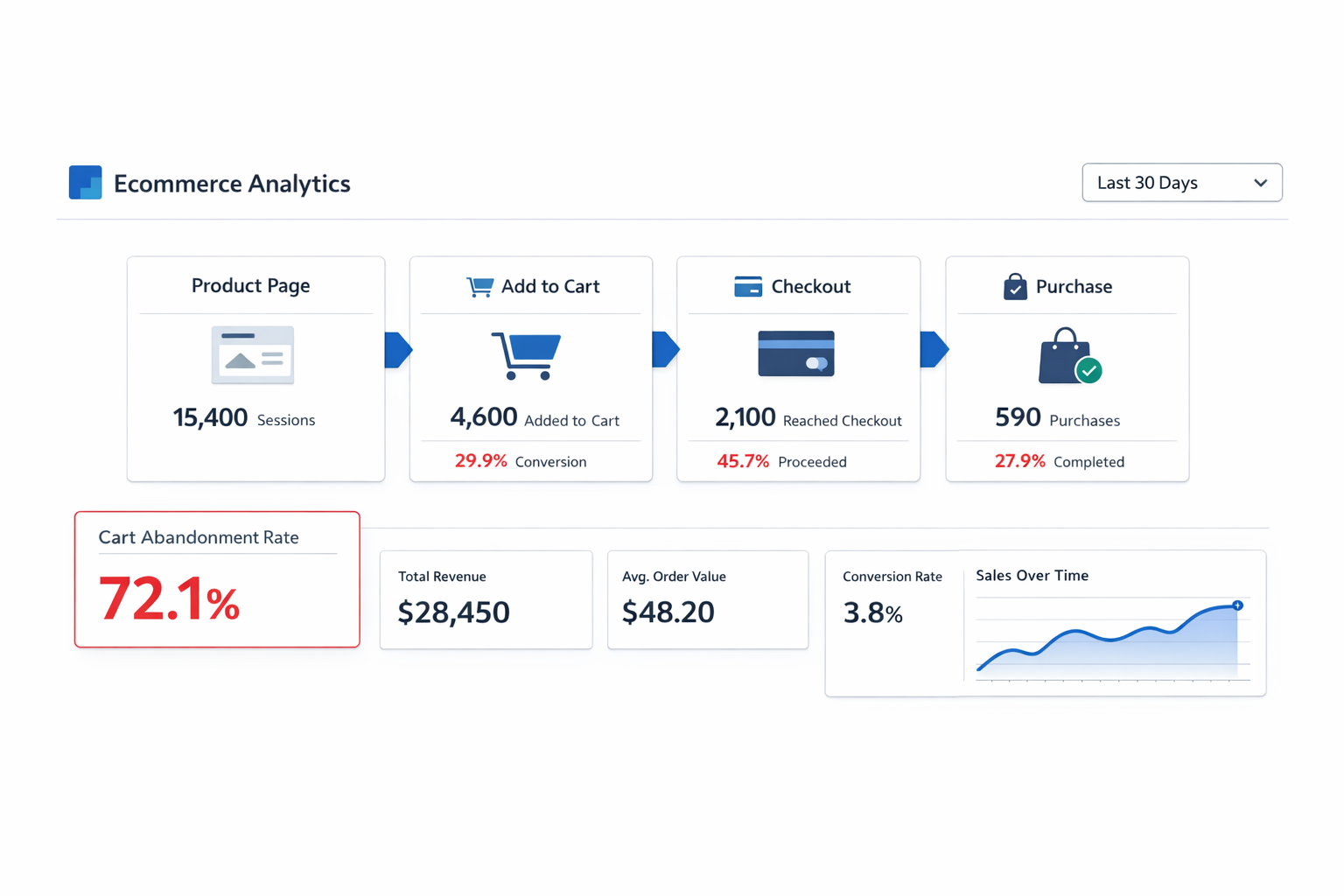
If add-to-cart rate is strong but reached-checkout rate is weak, your cart page is the issue. If reached-checkout is healthy but purchases lag, the problem is likely in payment, trust, shipping clarity, or mobile completion friction.
Fix #10: A/B Test the Cart Page Elements That Actually Move Revenue
Not every cart experiment matters. Testing button colors while your checkout is hiding shipping costs is not optimization. It is procrastination.
Test the variables most likely to change buyer confidence and completion rate:
- Free shipping threshold messaging
- Sticky checkout CTA on mobile
- Placement of trust copy and return-policy reassurance
- Express checkout button prominence
- Upsell module placement and aggressiveness
The goal of a cart page is not to maximize page engagement. It is to maximize completed orders. Treat everything that does not support that goal as suspect until proven otherwise.
Real Example: How One Shopify Store Cut Cart Abandonment by 18%
A Shopify apparel brand came to Site OptimizR with strong top-of-funnel numbers but weak completed purchases. Their add-to-cart rate was 9.4%, but their checkout completion rate lagged badly and their overall abandonment was above 78%.
The audit found four issues immediately:
- The cart did not mention the free shipping threshold until checkout
- The discount code field was visually dominant and pulled shoppers into coupon-search behavior
- Mobile cart load time was over 4.5 seconds because of app-heavy upsell scripts
- Express checkout buttons were pushed below multiple upsell blocks on smaller screens
We reordered the cart layout, surfaced shipping clarity earlier, reduced script weight, and made accelerated checkout impossible to miss on mobile. Over the next 5 weeks, cart abandonment fell by 18% and completed purchases rose by 22% without increasing traffic.
That is the leverage of conversion rate optimization: the revenue comes from traffic you already paid to acquire.
High Shopify Cart Abandonment Is Usually a CRO Problem, Not a Traffic Problem
When merchants see weak sales, they often assume they need more visitors. But if your store already gets product views and add-to-carts, buying more traffic usually magnifies the leak instead of fixing it.
A store with a 75% cart abandonment rate does not need more visitors first. It needs a cleaner cart, a faster mobile experience, better checkout clarity, stronger payment trust, and smarter recovery flows. Fix that system, and every future visitor becomes more valuable.
That is why the highest-ROI move is usually not more acquisition. It is a focused audit of the points where intent collapses.
Get a Free Shopify Cart Abandonment Audit
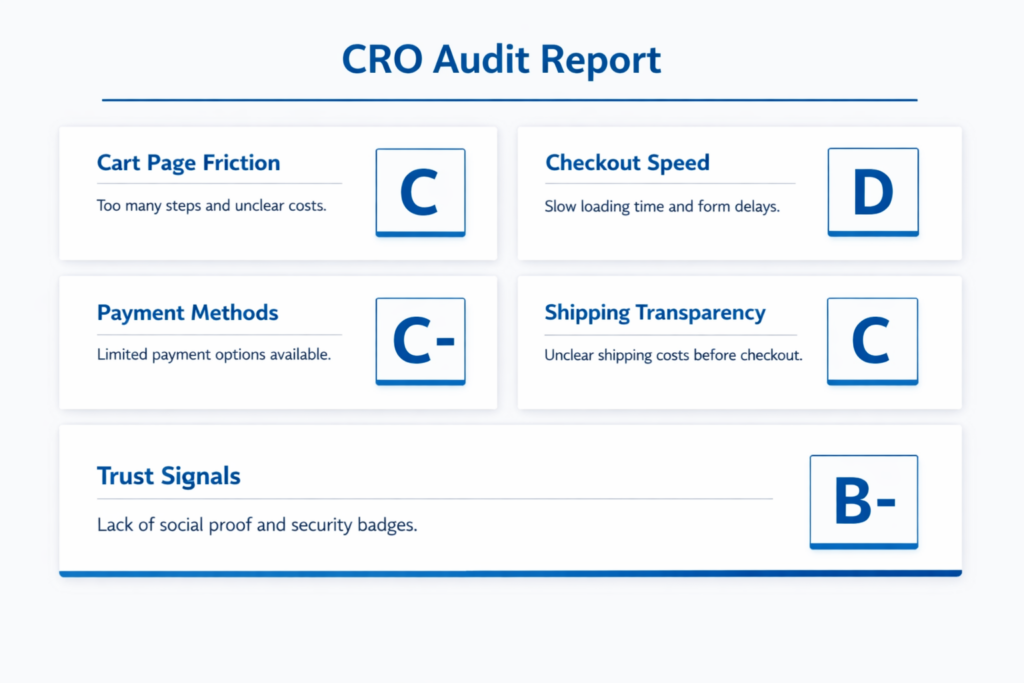
If your Shopify cart abandonment rate is high, the good news is that the leak is usually visible and fixable. You do not need a full redesign to recover more revenue. You need to know exactly where buyers are hesitating and which fixes will move the number fastest.
At Site OptimizR, our free Shopify audit reviews your cart page, checkout flow, mobile UX, speed issues, trust signals, shipping transparency, and recovery path. You get a prioritized action plan built around impact, not guesswork.
Most stores have 3 to 5 preventable friction points costing them sales every day. If you want to turn more add-to-carts into completed orders, we will show you where the abandonment starts and how to fix it.