
Free conversion audit
Get a tailored action plan based on your current funnel.
WooCommerce checkout error monitoring is a system for detecting when a shopper cannot move from cart to a valid order and confirmed payment. It should catch broken pages, JavaScript failures, gateway errors, missing callbacks, stuck order statuses, and confirmation failures before a sales dip or customer complaint becomes the first alert.
A homepage uptime check is not enough. Your site can return HTTP 200 while the cart fails to update, a payment method disappears, the place-order request crashes, or a successful charge remains disconnected from the order.
This guide uses official WooCommerce troubleshooting, order, webhook, and status-report documentation checked on September 4, 2026. It explains the monitoring layers, alert signals, safe tests, and incident runbook a store owner and developer can operate.
WooCommerce Checkout Error Monitoring: The Quick Answer
Monitor the buying path as a transaction, not a page. A useful check selects a product, adds it to cart, loads checkout, validates required fields, confirms an expected payment method, submits a safe test payment when the environment supports it, and reaches the expected confirmation state.
Combine that active test with passive signals: failed and pending orders, gateway logs, webhook delivery results, PHP fatal errors, browser errors, response time, and changes to plugins, themes, payment settings, or infrastructure.
Alert only when the evidence is actionable. One declined card is customer behavior; a surge in one gateway’s failures, repeated missing order notes, or a checkout test failing twice is an operational incident.
What WooCommerce Checkout Error Monitoring Should Cover
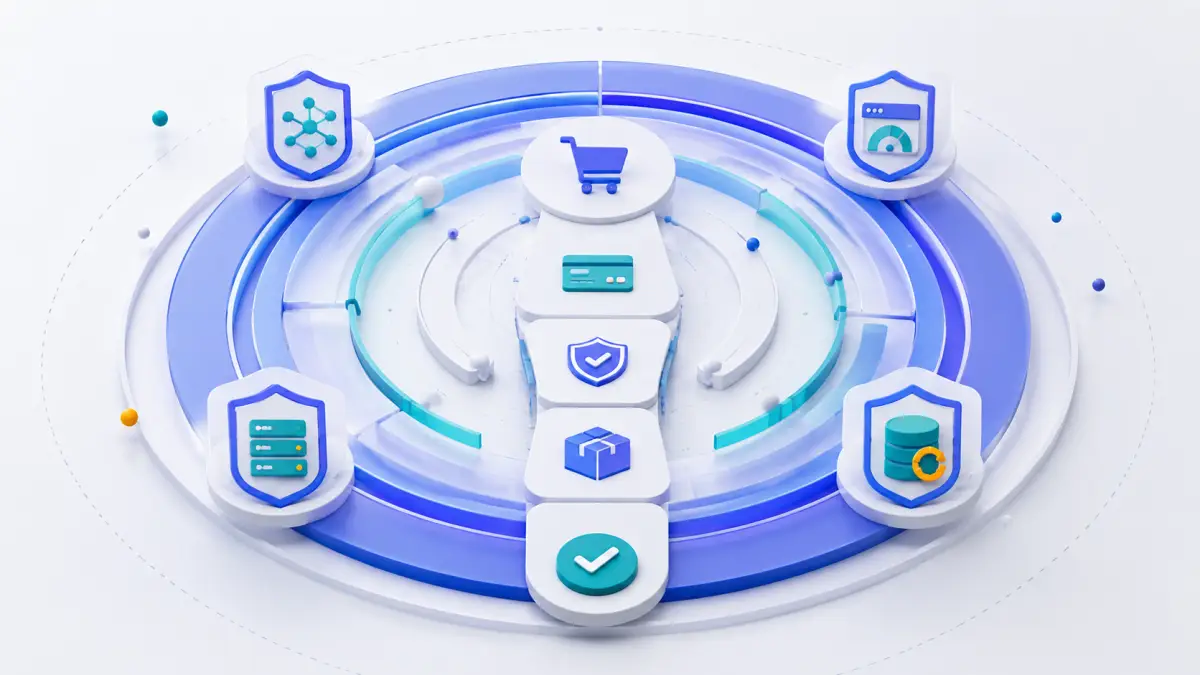
Build four monitoring layers:
- Availability: cart, checkout, account, payment callback, and confirmation endpoints respond as expected.
- Browser behavior: critical controls render, update, and submit without blocking JavaScript or network errors.
- Commerce state: cart totals, taxes, shipping, coupons, inventory, order status, and payment status stay consistent.
- Integration delivery: the gateway callback, webhook, email handoff, and downstream order events complete or raise a useful error.
Each layer catches failures the others miss. An uptime monitor can see a responsive page but not a missing payment method. A synthetic browser can reach confirmation but not prove that every gateway callback is being reconciled. Order-state monitoring can detect pending orders without explaining the front-end trigger.
Define the WooCommerce Checkout Success Contract
Write down what “working” means before choosing alerts. The contract should name one representative in-stock product, expected price, tax behavior, shipping method, customer type, gateway test mode, order status, confirmation route, and cleanup owner.
For example, a test might require an in-stock product to produce the expected line item and quantity, show one standard shipping option, expose the sandbox card method, create exactly one test order, and display an order-confirmation page. The gateway and WooCommerce order should agree on the transaction state.
Keep production tests non-destructive. Prefer a staging environment that mirrors production and the gateway’s test or sandbox mode. If a production transaction test is necessary, use a dedicated product and account, limit frequency, document fees and fulfillment safeguards, and immediately reconcile every created order.
Monitor WooCommerce Payment and Order Signals
WooCommerce’s payment-error guidance separates expected order states from suspicious ones. A failed payment may be a normal decline. A growing backlog of pending orders, a successful gateway charge paired with an unpaid order, or missing payment-related notes can indicate a callback, credential, extension, or server problem.
Track these signals by gateway and over consistent time windows:
- Failed orders as a share of payment attempts.
- Pending-payment orders older than the gateway’s normal confirmation window.
- Orders with a gateway transaction but no matching status transition.
- Duplicate orders, duplicate callbacks, or repeated place-order submissions.
- Orders with no payment notes after an apparent attempt.
- Sharp changes after a plugin, theme, gateway, CDN, PHP, or hosting release.
Use your own stable baseline. Card declines vary by audience and gateway, while technical failures often cluster by time, device, browser, payment method, or recent deployment.
Diagnose Failed and Pending WooCommerce Orders
The official WooCommerce order troubleshooting guide recommends starting with the order number, order status, attempt time, customer-visible message, payment method, transaction record, and order notes. That sequence keeps an investigation tied to evidence.
- Open the WooCommerce order and record the gateway, status, transaction ID, timestamps, and notes.
- Find the matching transaction in the gateway dashboard before asking the customer to retry.
- If the gateway succeeded but the order stayed pending, inspect the callback or webhook delivery.
- If no transaction exists, enable the gateway’s diagnostic logging and reproduce one safe test.
- If checkout spins or silently fails, inspect browser console errors and failed network requests.
- Reproduce extension or theme conflicts only in staging or another controlled environment.
Do not ask a shopper to resubmit while charge state is uncertain. Confirming the first attempt avoids duplicate authorizations and duplicate orders.

Use WooCommerce Logs Without Creating a New Problem
WooCommerce logs are evidence, not permanent decoration. The System Status area exposes fatal errors and extension logs, while gateway-specific logging usually needs to be enabled. WooCommerce warns that verbose logs can grow, so enable them for a bounded investigation and disable them when the test is complete.
Capture the smallest useful window. Record the exact test time, order ID, gateway, response code, correlation or transaction ID, and related browser request. Redact customer data before sharing logs outside the authorized team.
Also inspect the WooCommerce System Status Report for environment, database, theme, template, and extension context. A report is not proof of checkout success, but it can reveal version or configuration differences that explain a reproducible failure.
Monitor WooCommerce Webhook and Callback Failures
A shopper can complete a gateway flow while WooCommerce misses the status update. The result is a charge in the gateway and a pending or failed order in WordPress. Monitor both sides of that boundary.
WooCommerce’s webhook documentation explains that delivery logs show the event and receiving response; HTTP 4xx and 5xx responses count as failures. Payment providers may use their own webhook or callback systems, so follow the active gateway’s official instructions as well.
- Alert on repeated delivery failures, not a single transient response.
- Detect callbacks that never arrive within the expected payment window.
- Compare successful charges with WooCommerce status transitions.
- Watch for signature, credential, DNS, firewall, caching, and endpoint changes.
- Retain enough delivery evidence to replay or reconcile safely.
Run a Safe WooCommerce Checkout Transaction Test
A synthetic test should follow the same critical path as a shopper while avoiding real fulfillment. Run it after deployments and on a schedule that matches the store’s risk and order volume.
- Open a clean browser session at a representative product.
- Select required options and add exactly one item to cart.
- Verify item, quantity, price, coupon, shipping, and tax behavior.
- Load checkout and confirm required fields and the intended payment method.
- Submit the gateway’s documented test transaction in staging or test mode.
- Verify one order, the expected status, gateway agreement, and confirmation page.
- Remove or label the test order according to the written cleanup policy.
Repeat the test for the highest-value variations: mobile viewport, guest versus account, each major gateway, subscription or bundle products, international market, coupon path, and accelerated wallet. Do not attempt every combination on every run; use a daily smoke path and rotate deeper coverage.

Set Alerts That Protect Revenue Without Creating Noise
Use multiple conditions. A sensible alert might require two consecutive synthetic failures, a material increase in pending orders, or several webhook failures for the same endpoint. Route critical incidents to an owner who can investigate immediately.
Create three severity levels:
- Critical: no major gateway can complete the representative transaction or checkout is inaccessible.
- High: one major payment method, market, or device path fails repeatedly.
- Warning: error rate, latency, pending orders, or callbacks move outside the store’s normal range.
Every alert should include the failed step, timestamp, environment, product, browser or device profile, payment path, response evidence, recent releases, and a link to the runbook. If the alert cannot tell the owner what to check next, it needs refinement.
Worked Incident Example: Paid but Still Pending
Consider a hypothetical incident: three orders remain pending even though the payment gateway shows successful authorizations. The storefront is online, so a basic uptime check stays green. Order notes contain no success callback, and the gateway delivery log shows repeated errors against the store endpoint.
The team pauses risky retries, records the affected transaction IDs, verifies that customers were charged, and investigates the callback path. After correcting the endpoint issue in a controlled release, it replays or reconciles transactions according to gateway guidance, checks every affected order, and completes one safe test transaction.
This example is not a client result. It demonstrates why payment truth, order truth, and browser truth must be monitored together.
Create a WooCommerce Checkout Incident Runbook
Your runbook should be short enough to use under pressure. Include the primary owner, backup owner, gateway contacts, hosting contacts, safe maintenance message, recent-change log, staging route, rollback commands, cache controls, and the exact checks required before reopening the path.
- Confirm: reproduce the failure and rule out a one-off customer decline.
- Contain: disable only the affected path or show accurate guidance when a safer alternative exists.
- Preserve evidence: capture order, gateway, webhook, server, and browser details.
- Rollback or fix: choose the smallest reversible change.
- Verify: complete the success contract on desktop and mobile.
- Reconcile: review every affected order and transaction before closing the incident.
Connect Reliability Work to Checkout Optimization
Reliability comes before persuasion. A faster layout, shorter form, or stronger trust message cannot recover a payment method that vanished after an extension update. Establish the monitoring baseline, then use funnel and behavioral data to improve the experience.
Read our WooCommerce checkout optimization guide for friction fixes and our WooCommerce cart abandonment guide for recovery strategy. Checkout error monitoring owns a different question: can a willing shopper complete the transaction correctly right now?
Get a Free WooCommerce Checkout Audit
Site OptimizR can review your checkout path, gateway and webhook evidence, browser errors, order-state handling, transaction-test coverage, alert thresholds, and rollback readiness. The goal is a buying path you can verify, not an uptime badge that misses revenue failures.
Book your free WooCommerce checkout audit to receive a prioritized reliability and conversion plan for your current stack.